

How to Get an E-Visa for Turkey Online
I almost missed my Istanbul flight because I waited too long to apply for my Turkey e-visa. Not because the process is hard it genuinely isn’t but because I assumed it would take forever, like some other visa processes I’d dealt with before. So I kept putting it off. Then, three days before my trip, I finally sat down, opened my laptop, and was done in about 15 minutes.
That’s the thing about Turkey’s E-Visa for Turkey Online system. It’s surprisingly painless. But there are still a handful of things that can trip you up, especially if you’re applying for the first time or you’ve been fed wrong information by third-party sites (which happen to rank really well on Google, unfortunately).
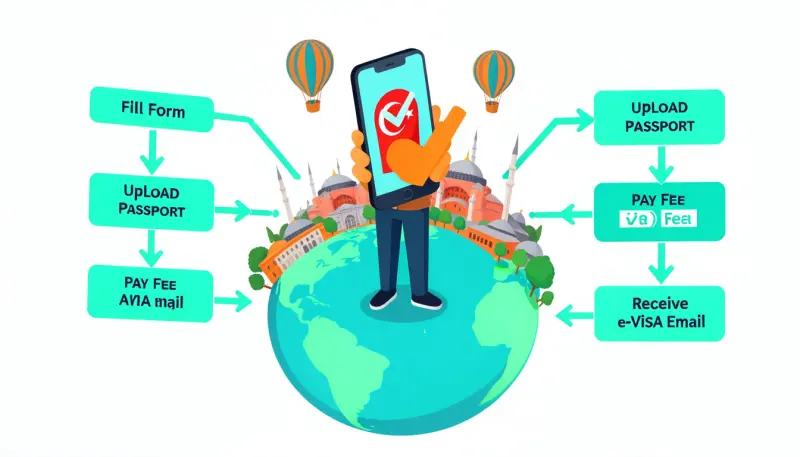
This guide is everything I wish someone had told me before I applied.
First Who Actually Needs a Turkey E-Visa?
Not everyone does, so it’s worth checking before you start. Citizens of some countries like Germany, Japan, and a few others can enter Turkey visa-free for short stays. Others need a full embassy visa and can’t use the E-Visa for Turkey Online route at all.
But for passport holders from the US, UK, Canada, Australia, India, Pakistan, and many other countries, the e-E-Visa for Turkey Online is the standard and accepted method for tourism, business visits, or transit stays.
The E-Visa for Turkey Online is valid for 180 days from the date of issue. Within that window, you can stay for either 30 or 90 days, depending on your nationality. Most people I know who visited for a holiday got the 30-day single-entry version, which is plenty.
To double-check your eligibility, go to the official Turkish E-Visa for Turkey Online website: evisa.gov.tr. That’s the one you want. More on why this matters in a minute.
Is Turkey Safe to Visit in 2026? Here’s What Nobody Tells You Before You Book
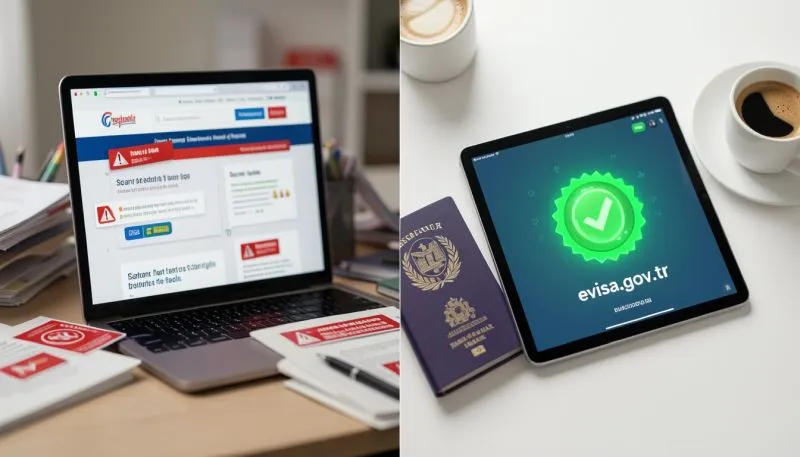
The Official Website Vs. Third-Party Sites This Matters More Than You Think
Okay, let me be blunt here: there are tons of websites out there that look like they’re the official Turkish government portal but aren’t. They charge you double or triple the actual fee, add “service fees,” and sometimes their customer support is unreliable if something goes wrong.
When I first Googled “Turkey e-visa,” half the results on the first page were these kinds of services. Some of them looked impressively official Turkish flag, professional design, everything. I almost used one before a friend texted me and said, “Bro, use the .gov.tr site.”
The official portal is:
https://www.evisa.gov.tr/en/
The E-Visa for Turkey Online fee through the official portal varies by nationality but is generally between $20–$60 USD. It’s a fraction of what some third-party services charge. There’s no reason to pay more unless you specifically want someone to hold your hand through the process and honestly, the official site doesn’t need hand-holding.
What You’ll Need Before You Start
One thing that made my first application smooth was having everything ready before I even opened the site. Here’s what you need:
- Passport: Your passport must be valid for at least 150 days beyond your intended entry into Turkey. I’d recommend checking this well before you apply. I’ve seen people get rejected at check-in because their passport expired two months after their travel date.
- Email address: You’ll receive yourE-Visa for Turkey Online as a PDF at this email. Use one you check regularly and make sure there’s enough storage don’t use an old inbox stuffed with unread newsletters.
- A debit or credit card: The site accepts Visa, MasterCard, and American Express. I used my Visa debit card and it went through without issues. Some people have mentioned issues with certain regional bank cards, so if your first card doesn’t work, try another.
- Travel dates: Have a rough idea of when you’re entering Turkey. You don’t need your exact flight time, but the system will ask for your planned arrival date.
- Hotel or accommodation details: Optional on the form, but good to have nearby just in case.
That’s genuinely it. No photos, no bank statements, no invitation letters. One of the most refreshing visa applications I’ve ever done.
Step-by-Step: How to Apply for E-Visa for Turkey Online
Let me walk you through the process exactly as I experienced it.
Step 1: Go to the Official Site
Open evisa.gov.tr/en/ in your browser. Don’t search for it through Google type the URL directly. This way you avoid landing on a lookalike site by accident.
Step 2: Check Your Eligibility
On the homepage, there’s a dropdown where you select your nationality and passport type. Hit the button to check if you’re eligible for the e-visa. If you are, it’ll tell you the duration and type of stay you qualify for. If you’re not eligible, it’ll tell you to apply through a Turkish consulate instead.
Step 3: Click “Apply”
Once you know you’re eligible, E-Visa for Turkey Online click the Apply button. It’ll take you to the actual application form.
Step 4: Fill In Your Personal Information
This is the main form. You’ll enter:
- Your full name (exactly as it appears on your passport — no nicknames, no abbreviations)
- Passport number
- Date of birth
- Nationality
- Passport expiry date
- Email address (enter it twice the system asks you to confirm)
- Your planned date of entry into Turkey
Take your time here. Typos in your passport number or name can cause problems at border control, even if the E-Visa for Turkey Online itself gets approved.
Step 5: Review Your Application
Before you pay, the site shows you a summary of everything you’ve entered. Read through every single field. This is where I caught that I’d entered my passport expiry date wrong the first time (I accidentally swapped the month and year). Fixed it before hitting continue.
Step 6: Pay the Fee
You’ll be taken to the payment page. Enter your card details. The transaction is processed in USD regardless of where you are. Your bank might charge a small foreign transaction fee on top mine did, about $1.50 extra, which was no big deal.
Once the payment goes through, you’ll get a confirmation on screen and an email almost immediately.
Step 7: Wait for Your E-Visa (Usually Instant, Sometimes Up to 24 Hours)
For most nationalities, the E-Visa for Turkey Online is issued almost immediately sometimes within minutes. My email came through in about 8 minutes. But the site officially says it can take up to 24 hours in some cases.
Download the PDF as soon as it arrives. Save it in at least two places your phone’s photos app, email, a cloud folder, whatever works. You’ll need to show it when you check in for your flight and at Turkish border control.
Thailand Travel Cost 2026
Do You Need to Print It?
This is something a lot of people ask, and honestly, the answer depends on the airline and border crossing you’re using.
At most major Turkish airports like Istanbul Airport (IST) or Sabiha Gökçen (SAW), they can scan the PDF directly from your phone screen. I showed mine on my phone at check-in and at the e-gate, no issue.
But I’d still recommend printing a copy. Some smaller land border crossings or older systems may not have reliable phone scanners, and having a physical copy costs you nothing but one sheet of paper. Better safe than sorry.
Mistakes I Made (and Ones I’ve Heard About From Others)
Using a third-party site: I nearly did this. They quoted me $89 for a visa that should’ve cost around $35. Thankfully I caught it in time.
Not checking passport validity: A colleague of mine had her flight canceled at check-in because her passport expired four months after her trip. Turkish immigration requires 150 days minimum beyond entry. Her trip was essentially ruined that day. Check your passport before anything else.
Entering travel dates too far in advance: The E-Visa for Turkey Online is valid for 180 days from the date of issue. If you apply 6 months before your trip, you might arrive after the validity has expired. Apply within 1–3 months of your planned trip.
Assuming the E-Visa for Turkey Online covers all border crossings: The Turkish E-Visa for Turkey Online is valid for most international airports and sea ports. However, if you’re entering through a land border, confirm that your specific crossing accepts e-visas. Most major ones do, but it’s worth verifying.
Not double-checking the email address: One person in a travel forum I read had their visa go to a typo’d email they’d entered .con instead of .com. They had to reapply and pay again. The site doesn’t verify your email before issuing, so type carefully.
What Happens at Turkish Border Control?
Once you land in Turkey, you’ll go through passport control like any other international arrival. The officer will scan your passport, check your E-Visa for Turkey Online (either from your printout or from your phone, which you hand over), and stamp you in.
It’s usually quick, especially at Istanbul Airport which has multiple e-gates that process things fast. Total time at passport control for me was under 10 minutes.
One thing worth noting: E-Visa for Turkey Online immigration officers sometimes ask how long you plan to stay and whether you have a return ticket. Just have your return flight booking ready to show if asked. It’s rarely a problem for tourists.
Can You Extend Your E-Visa for Turkey Online or Stay?
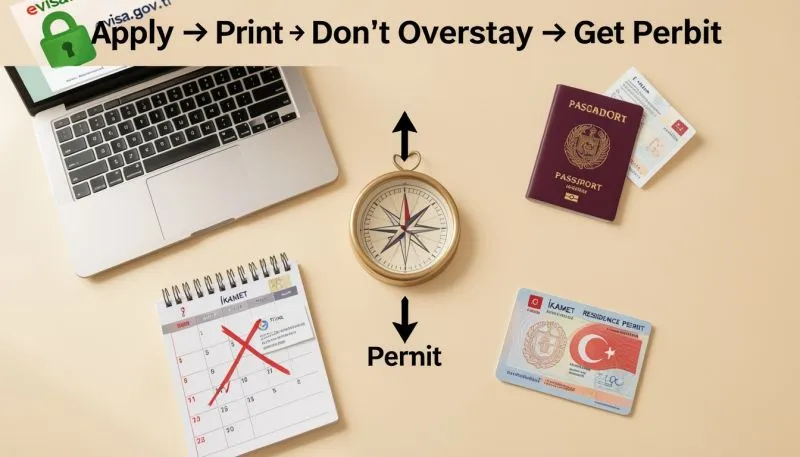
Technically, the E-Visa for Turkey Online itself isn’t extendable once issued. But if you want to stay longer than your allowed duration (30 or 90 days depending on nationality), you’d need to go to a local immigration office (called Göç İdaresi or Migration Office) and apply for a residence permit or short-term extension.
This is getting into more complex territory that’s beyond the scope of this guide, but it’s good to know it exists if your trip takes an unexpected turn.
For most tourists, 30 days is more than enough to see Istanbul, Cappadocia, Pamukkale, and the Aegean coast. Plenty of time
How Long Does the Application Take? (Realistic Timeline)
Actual application time: 10–15 minutes if you have your documents ready.
Processing time: Usually instant to a few hours. Officially up to 24 hours.
The whole thing from sitting down at your computer to receiving your PDF can genuinely be done in under 30 minutes. It’s one of the easiest travel visas I’ve dealt with from any country.
Visa-Free Countries for US Travelers in 2026:
Using a Mobile Phone to Apply
I’ve applied via both laptop and phone. The official site works fine on mobile it’s responsive and the form doesn’t give you any trouble. I’d still lean toward a laptop just because it’s easier to carefully type out passport details on a bigger keyboard, but it’s not a requirement.
If you’re using your phone, just make sure auto-correct isn’t changing your passport number or name. It sounds obvious, but it’s caught people off guard.
A Few Things Worth Knowing About Visiting Turkey in General
Since you're planning a trip, a couple of quick notes:
- Currency: Turkey uses the Turkish Lira (TRY). Exchanging money at airports typically gives you a poor rate. ATMs in city centers give much better rates, and many tourist spots in Istanbul also accept euros and dollars informally (though you’ll get better value paying in lira).
- SIM Card: You can buy a tourist SIM at the airport on arrival. Turkcell and Vodafone Turkey both offer tourist packages. Having local data makes navigating so much easier, especially for apps like Google Maps or the Istanbul metro app.
- Istanbul Airports: If you’re flying into Istanbul, you’ll likely use Istanbul Airport (IST) on the European side or Sabiha Gökçen (SAW) on the Asian side. Both are well-connected to the city center, but IST is larger and has more international flights.
Summary: The Quick Version
If you just need the fast rundown:
- Go to evisa.gov.tr/en/ — only the official government site
- Check your eligibility by nationality
- Fill in your personal and passport details accurately
- Pay the official fee (usually $20–$60 depending on nationality)
- Receive your E-Visa for Turkey Online PDF via email within minutes to 24 hours
- Save it to your phone and print a backup copy
- Show it at check-in and at Turkish border control
That’s genuinely all there is to it.
Final Thoughts
Turkey’s E-Visa for Turkey Online system is one of the better ones I’ve used simple, fast, and affordable when you go through the right channel. The main thing that catches people out isn’t the process itself, it’s either using an overpriced third-party service or leaving the application so late that they’re scrambling at the last minute.
I Blew My “Europe Budget” on Southeast Asia Instead
Don’t be me don’t do it three days before your flight.
Give yourself at least a week, ideally 2–4 weeks before travel, apply through the official government site, and then spend your energy on the actually fun part: figuring out which bazaar to get lost in first, or how many times you can eat simit in a single day E-Visa for Turkey Online (the answer, for the record, is more than you’d expect).
Safe travels.

Michael James is an American travel writer and Europe visa specialist with 7+ years of experience helping U.S. citizens stay longer in Europe. Through real conversations with digital nomads, retirees, and expat families, he delivers clear, no-fluff guides on the latest 2026 Schengen rules, ETIAS, and the best long-stay visas. Follow his practical advice at TravelTipHub.